[1]:
from manim import *
from manim_geometry import *

config.media_embed = True
config.media_width = "100%"
_RV = "-v WARNING -qm --progress_bar None --disable_caching"
_RI = "-v WARNING -s --progress_bar None --disable_caching"
Manim Community v0.18.0
Geos basics
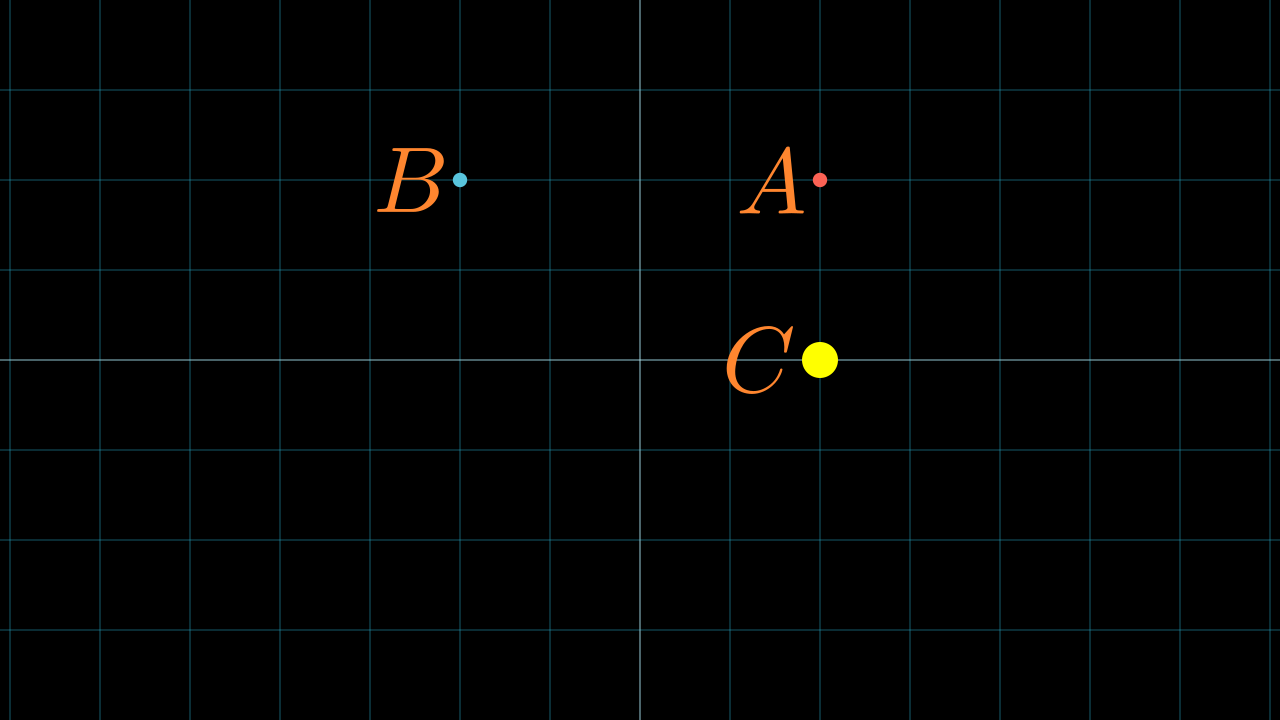
To start using ManimGeometry you have to instantiate the Geos class, and it receives the scene as a mandatory parameter.
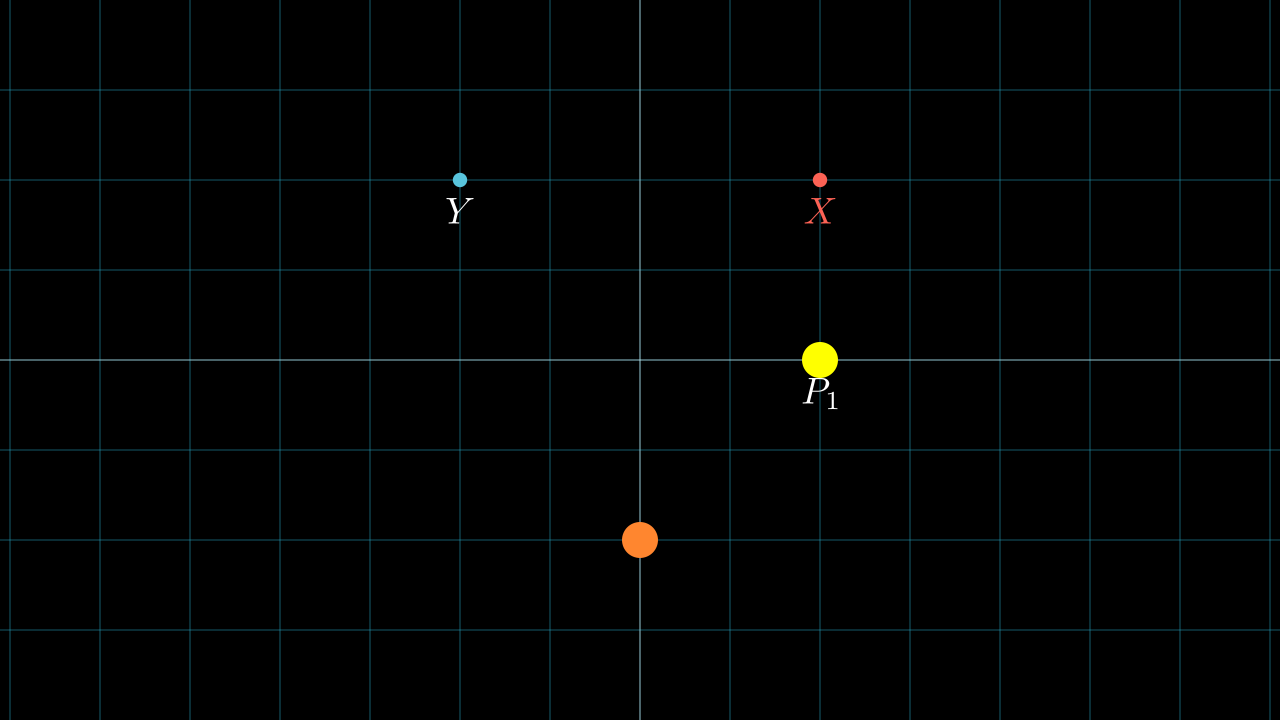
class Example(Scene):
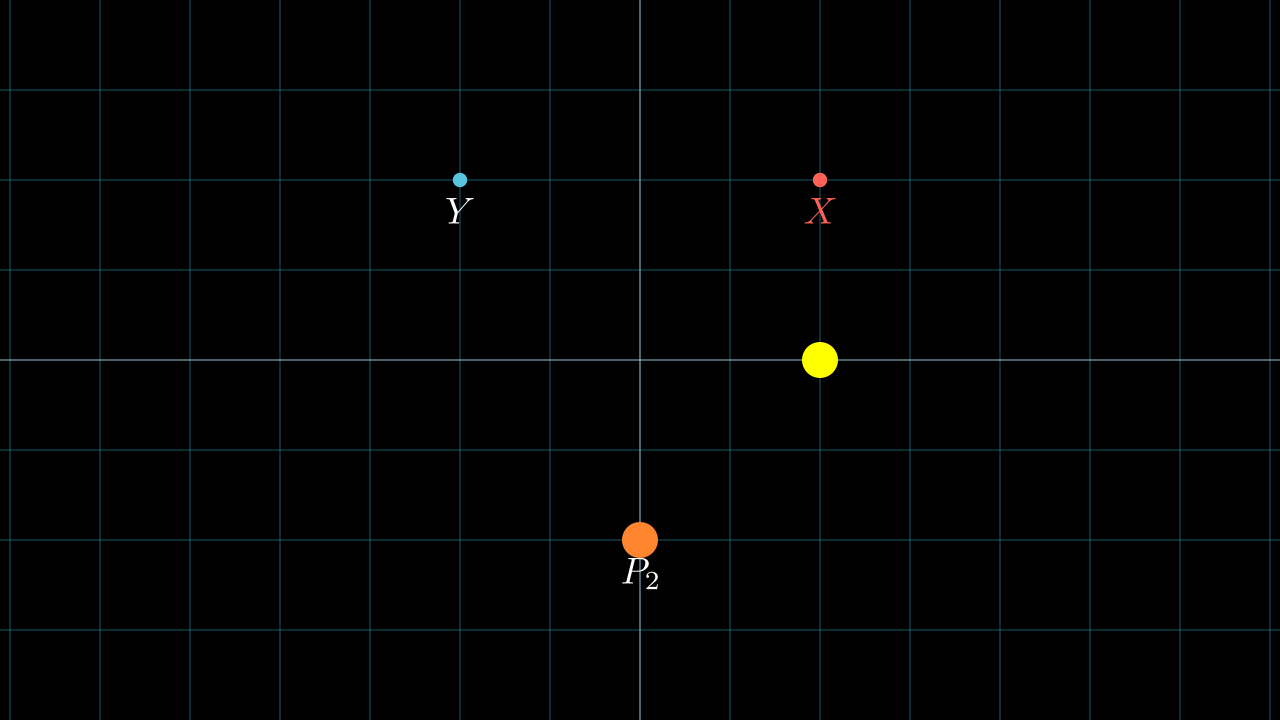
  def construct(self):
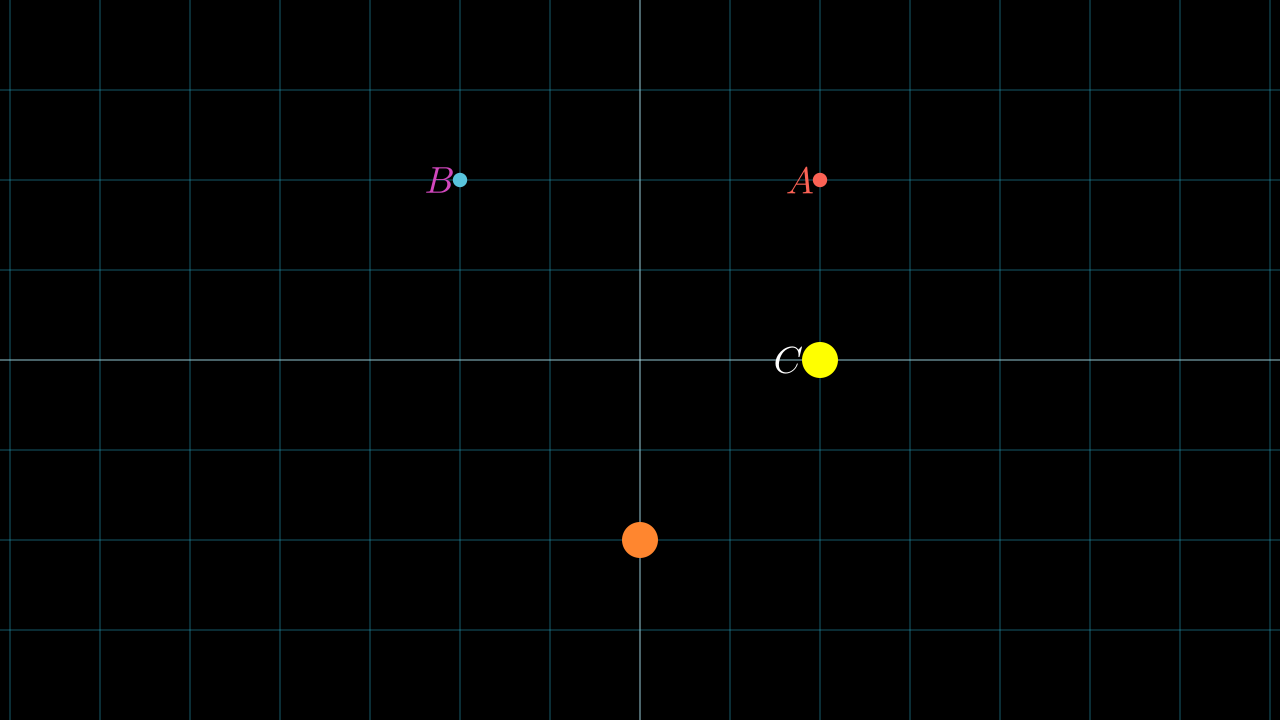
    geos = Geos(self)
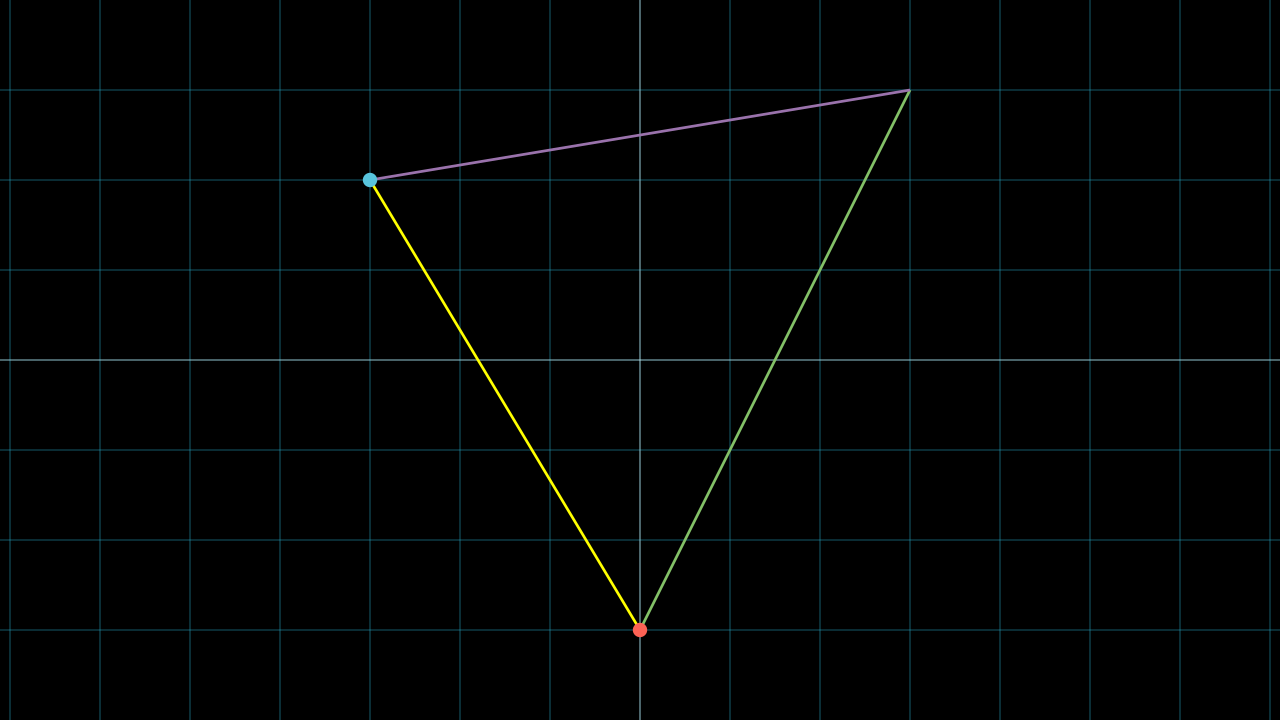
In addition to the scene you can receive these dictionaries:
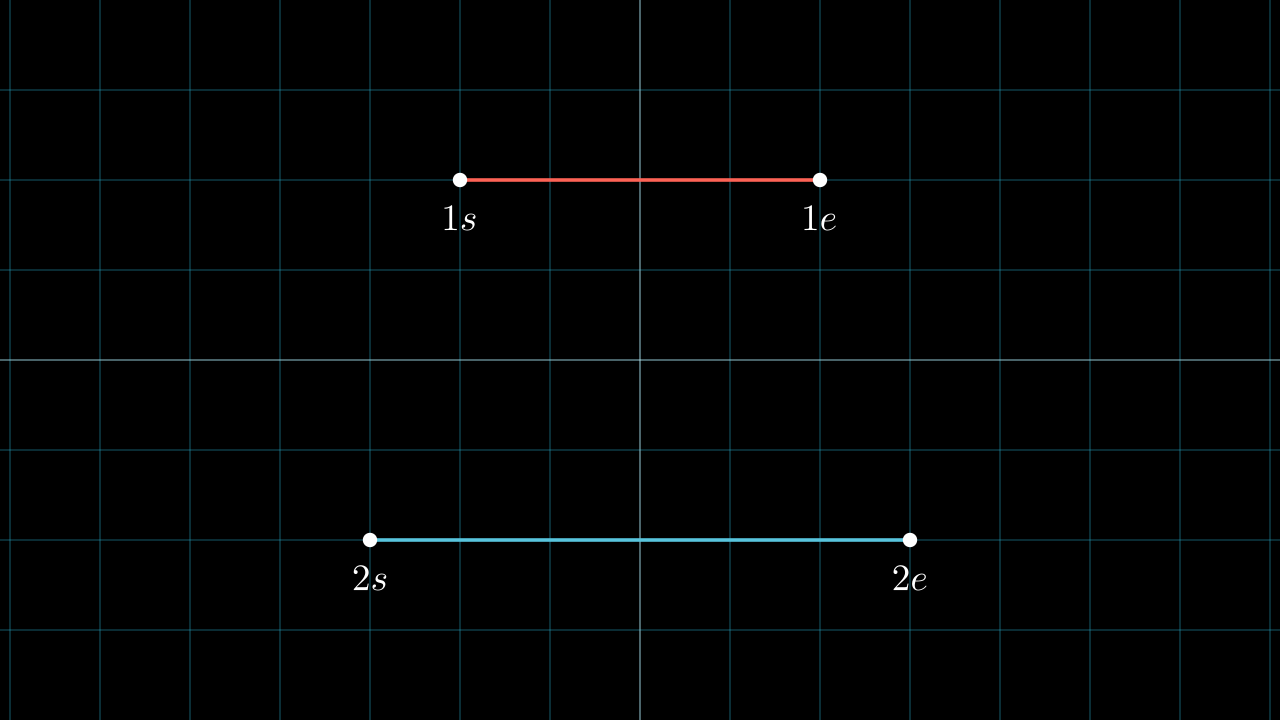
DEFAULT_GEOS_STROKE_WIDTH = 3
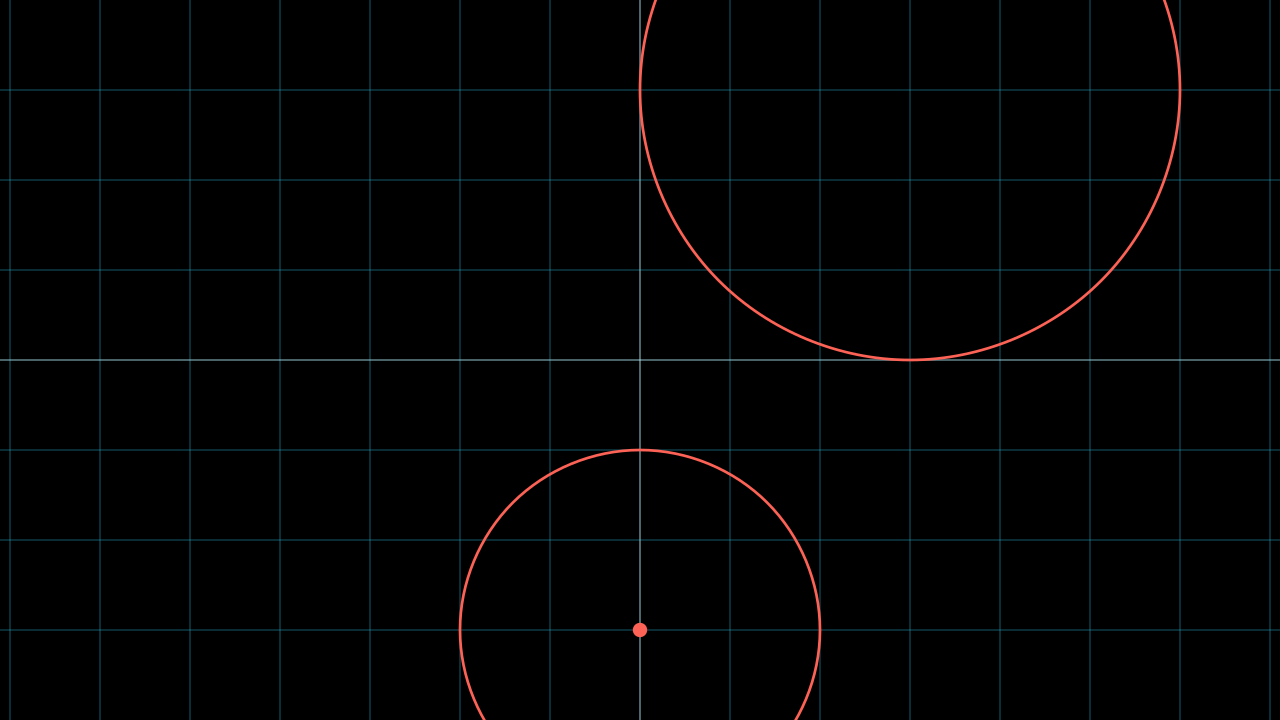
DEFAULT_Z_INDEX_DOTS      = 5

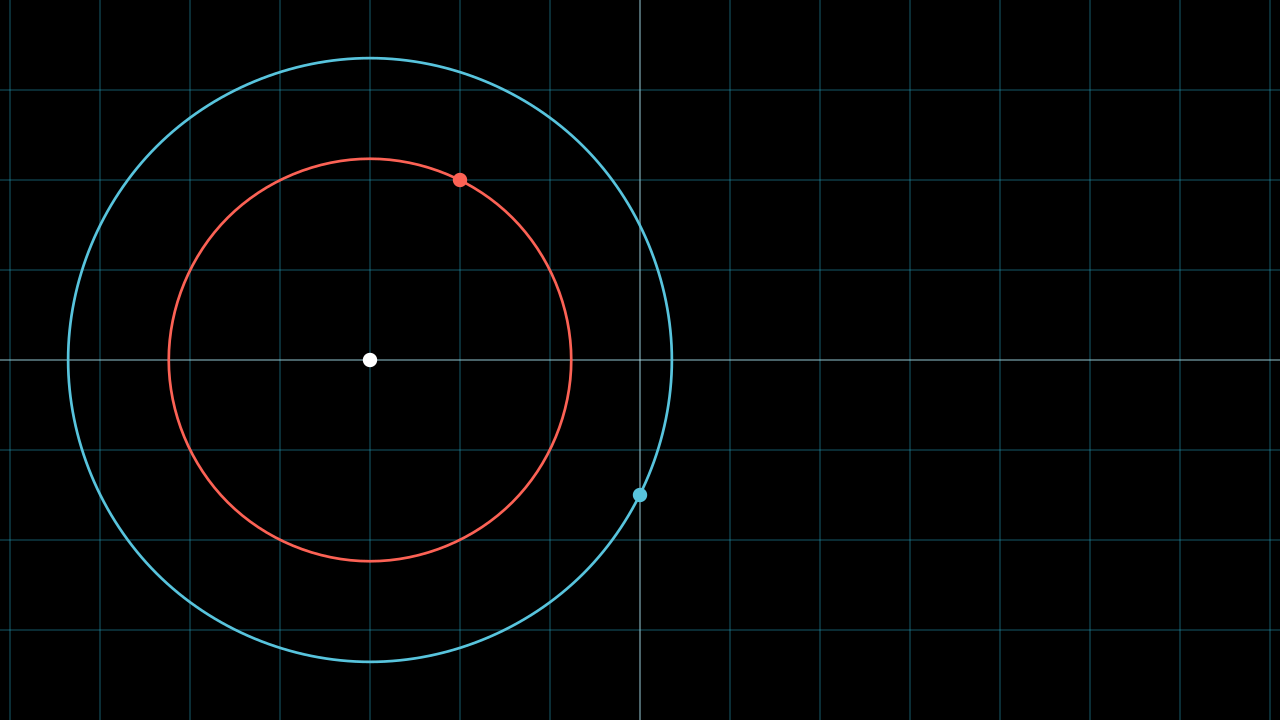
class Geos:
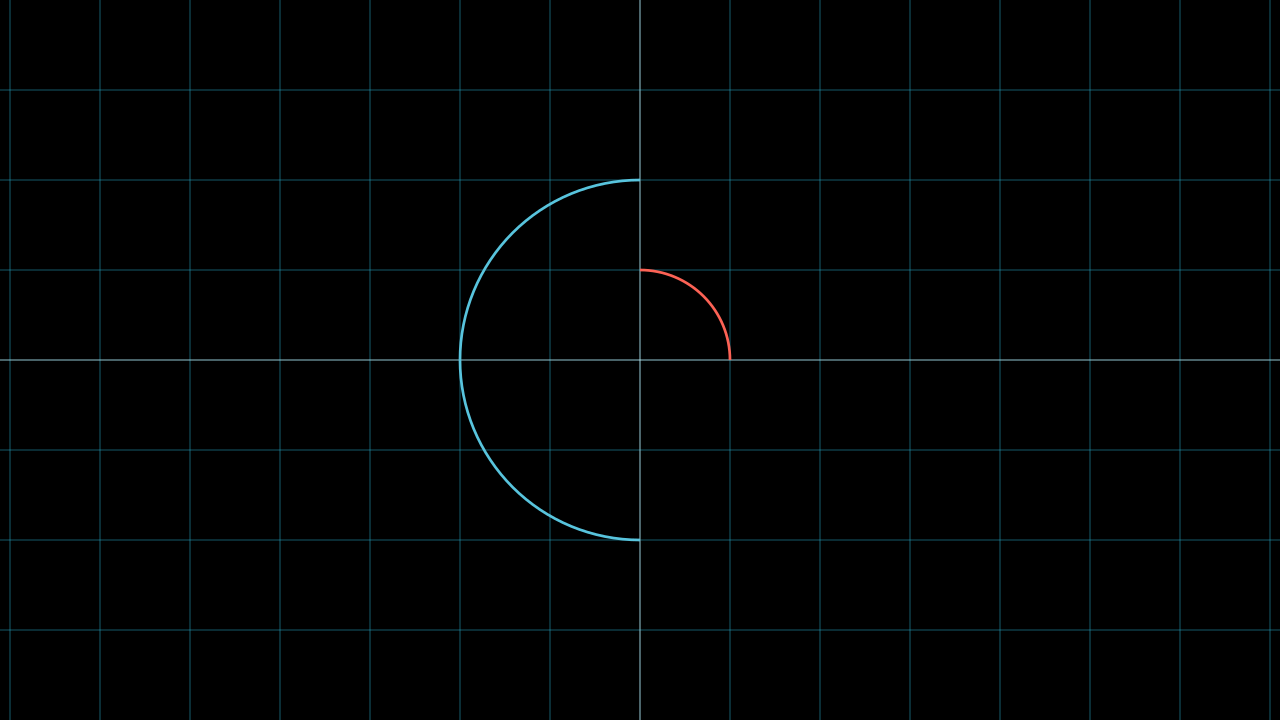
  DEFAULT_LINES_STYLE = {
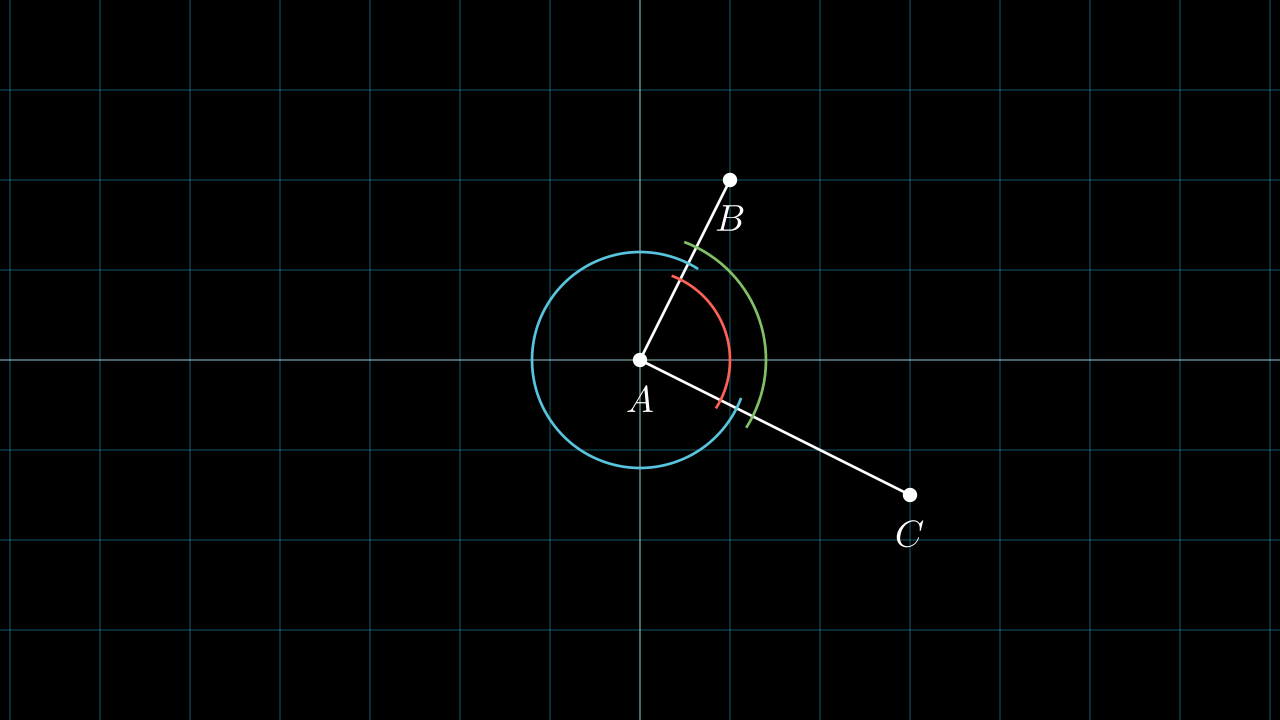
    "stroke_width": DEFAULT_GEOS_STROKE_WIDTH,
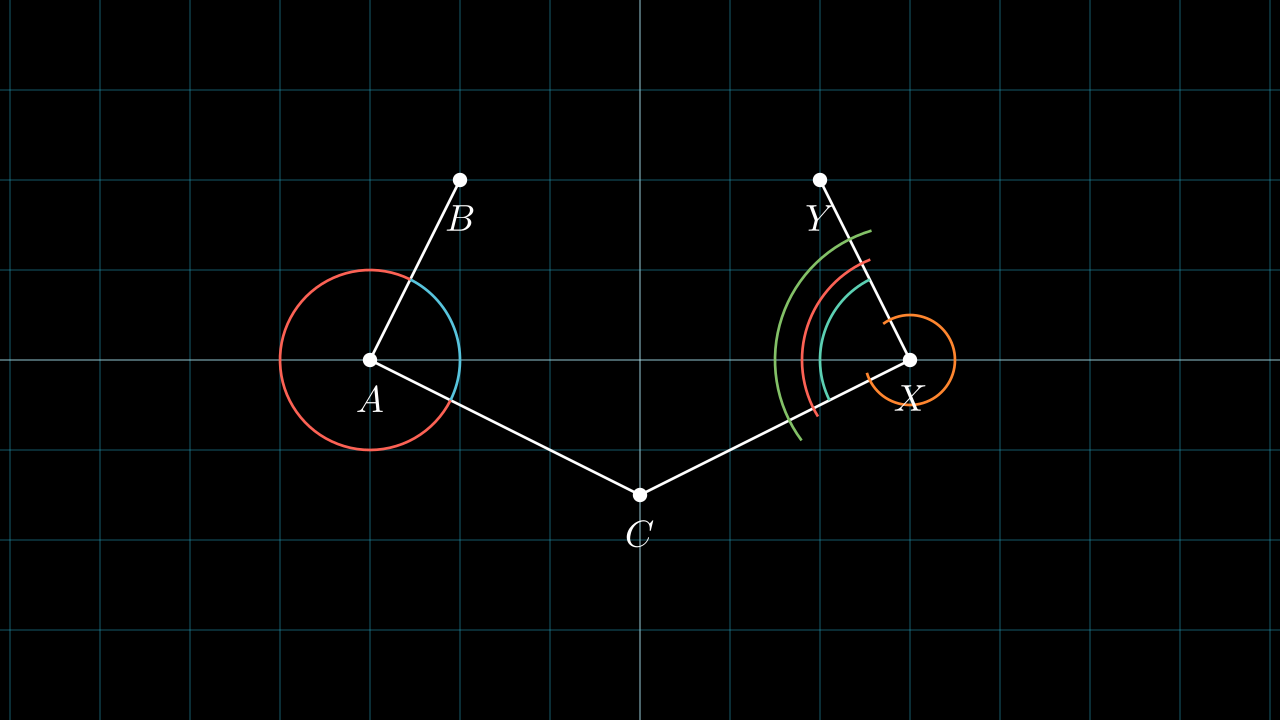
  }
  DEFAULT_CIRCLES_STYLE = {
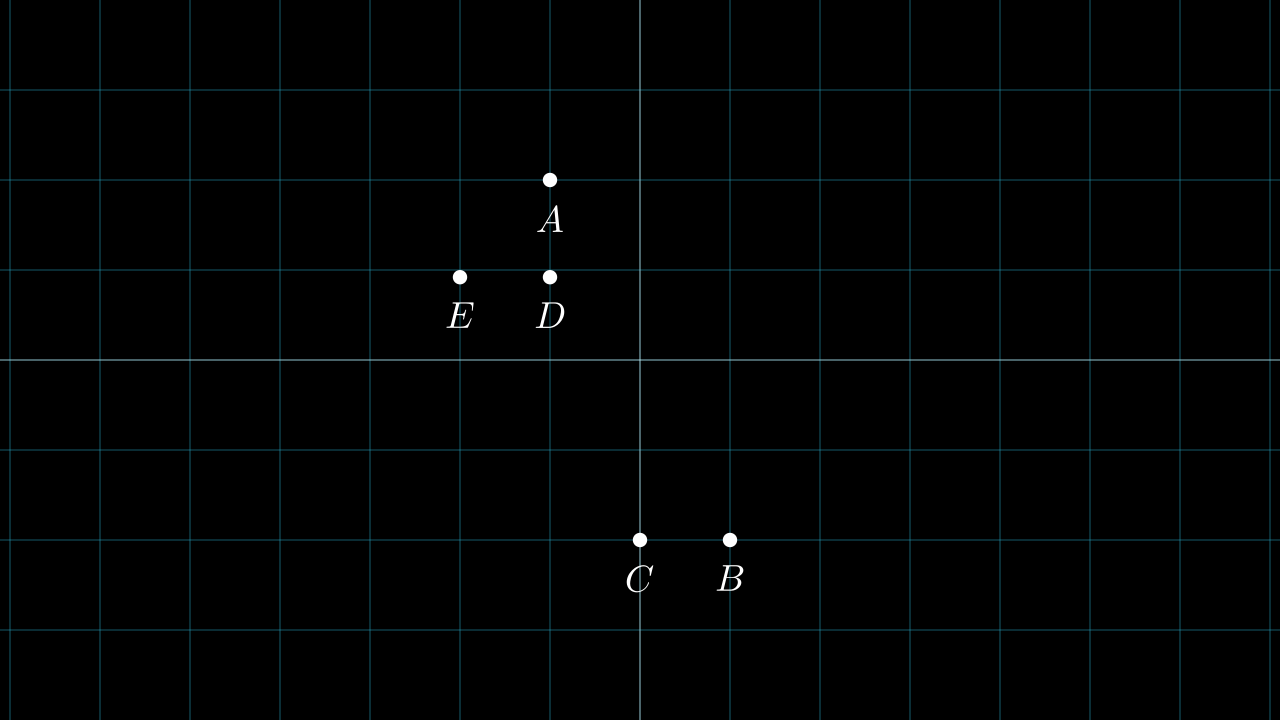
    "stroke_width": DEFAULT_GEOS_STROKE_WIDTH
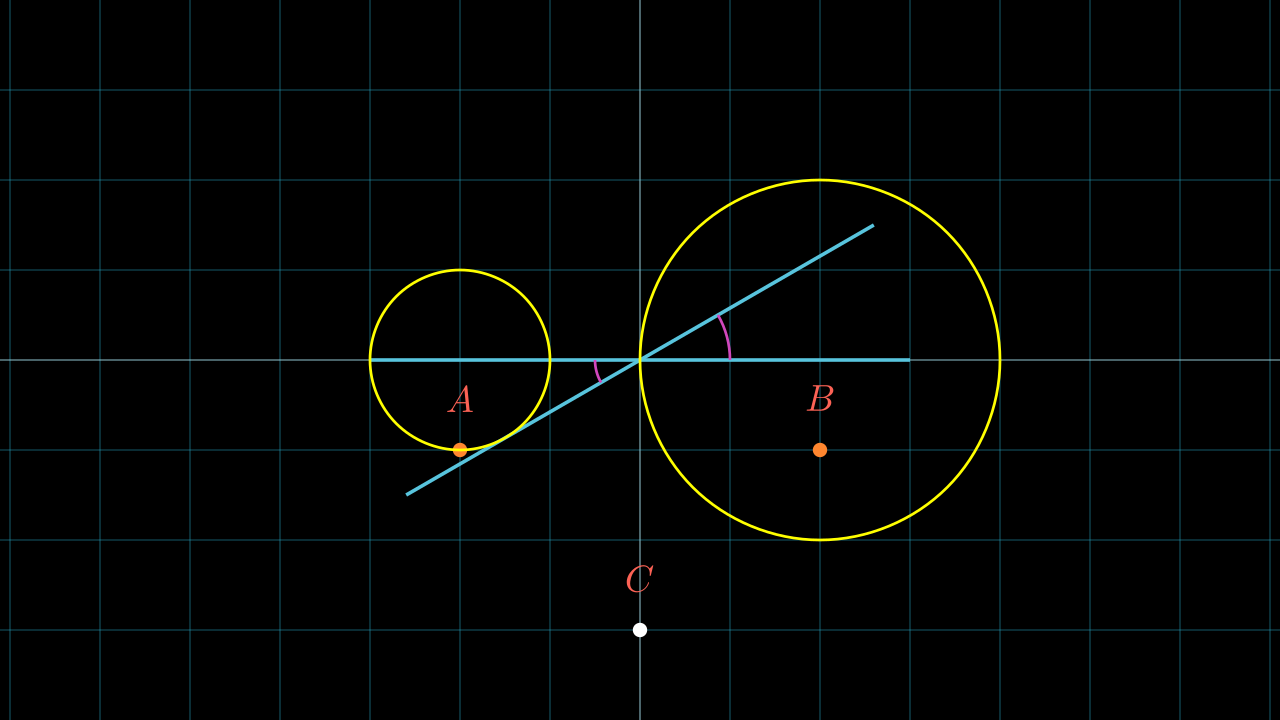
  }
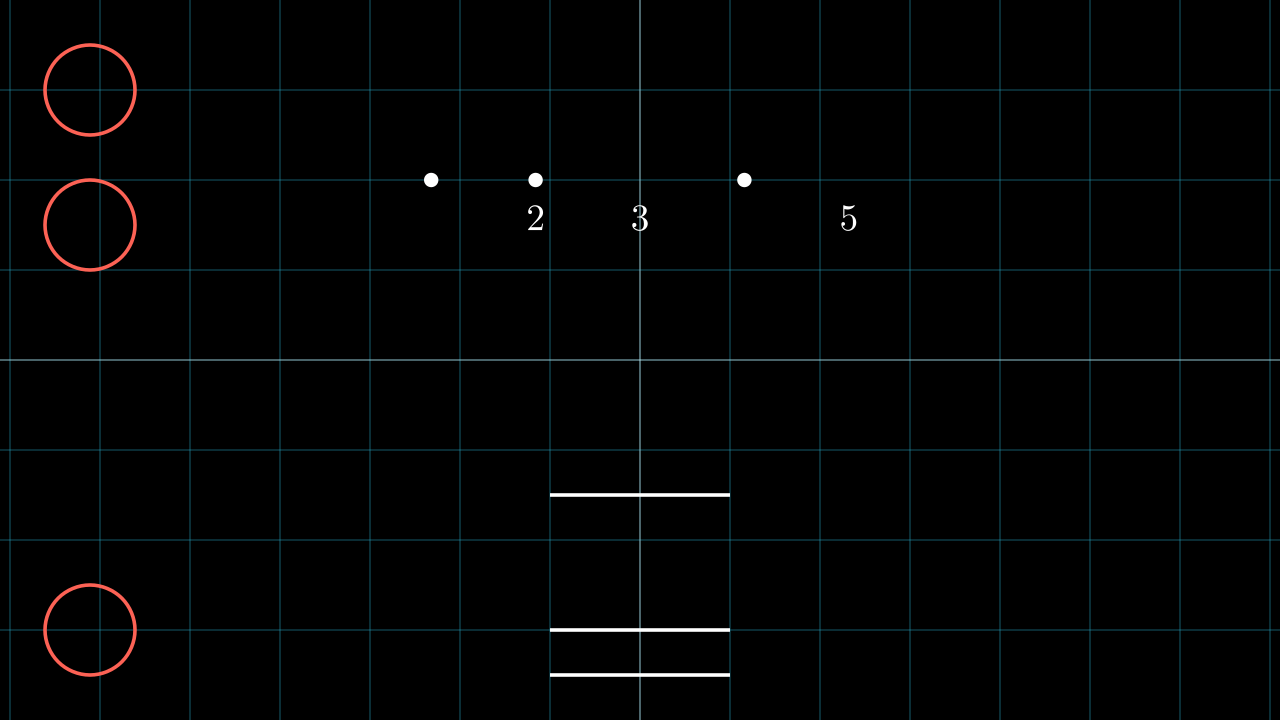
  DEFAULT_ARCS_STYLE = {
    "stroke_width": DEFAULT_GEOS_STROKE_WIDTH
  }
  DEFAULT_DOTS_STYLE = {
    "stroke_width": 0,
    "z_index": DEFAULT_Z_INDEX_DOTS,
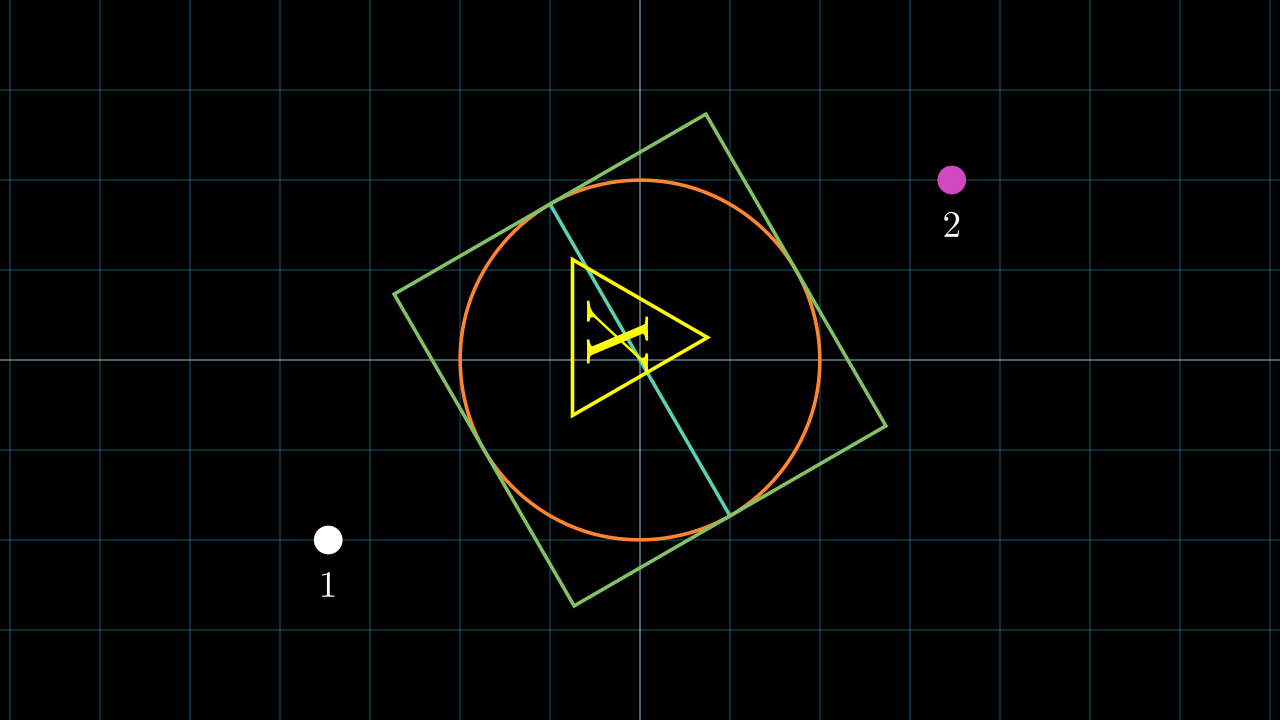
  }
  def __init__(self,
               scene:Scene,
               lines_style={},
               dots_style={},
               arcs_style={},
               circles_style={},
               ):
    #........
Dictionaries lines_style, dots_style, arcs_style and circles_style override the class variables you can see there.
Note
Example: lines_style override DEFAULT_LINES_STYLE.
Styles DEFAULT_LINES_STYLE, DEFAULT_CIRCLES_STYLE, DEFAULT_ARCS_STYLE and DEFAULT_DOTS_STYLE will apply to all objects created with this library, but can be changed individually.
After defining geos you must use the create_geos method, here the construction process will be indicated, and it must have the following format:
geos = Geos(self)
geos.create_geos({
  "TN": geos.some_method(),
  #.....
})
Where T is the type of object, it is important to respect the type since the library will use that information for some methods. The N indicates a name, we give it that name, and it can have several letters, I recommend that they not be very long names, at most 3-4 letters.
Example:
geos = Geos(self)
geos.create_geos({
  "dA": geos.dot(...), # Dot with name A
  "dB": geos.dot(...), # Dot with name B
  "lAB": geos.line("dA", "dB"), # Line from A to B
})
In this example dA means that you are saving a Mobject of type Dot, and its name is A, the same for dB. In the case of the line, it is not necessary to name it AB, it can be called anything, but it is important that it has the l or bat the beginning, that will be explained later.
Once these elements are created, we can access them as an attribute:
[27]:
class Example(Scene):
  def construct(self):
    geos = Geos(self)
    geos.create_geos({
      "dA": geos.dot(LEFT*2), # Dot with name A
      "dB": geos.dot(RIGHT*2), # Dot with name B
      "lAB": geos.line("dA", "dB"), # Line from A to B
    })
    self.add(
      geos.dA.set_color(RED),
      geos.dB.set_color(GREEN),
      geos.lAB.set_color(BLUE)
    )

%manim $_RV Example
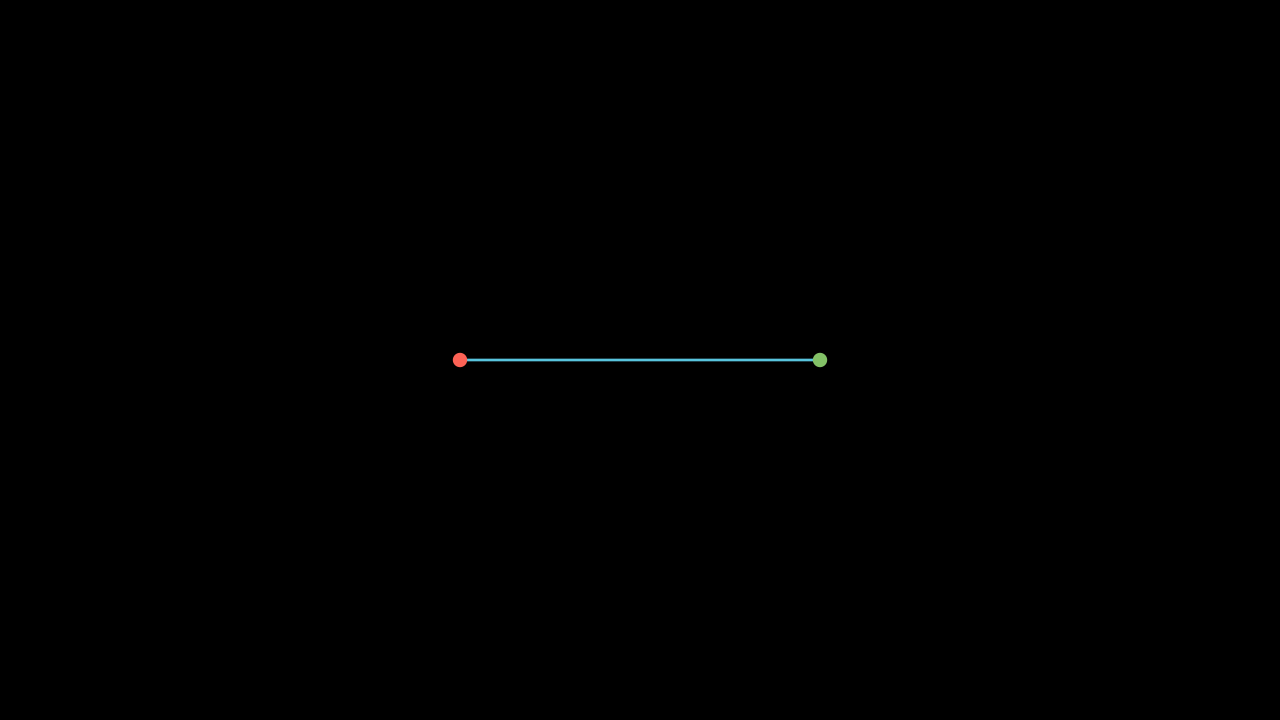
Here are all the types of objects, please use the recommended letter. The differences between l, b and similar will be explained later.
Object types:
class _GeosTypes:
  DOT      = "d" # Dot
  LINE     = "l" # Line
  BISECTOR = "b" # Same as line
  CIRCLE   = "c" # ICircle
  ARC      = "a" # Arc or IAngle
  POINT    = "p" # np.ndarray
  VECTOR   = "v" # np.ndarray
  LABEL    = "_" # MathTex or Tex
  NUMBER   = "n" # Int or Float
  ANGLE    = "o" # Int or Float
  DISTANCE = "x" # Int or Float
  MOBJECT  = "m" # Any VMobject
  VGROUP   = "g" # Any VGroup
  INTERSECTION = "i" # Dot
Hint
Most methods can receive a vector/object/string referencing previous values, with these examples you can learn how to use them.
Coordinates
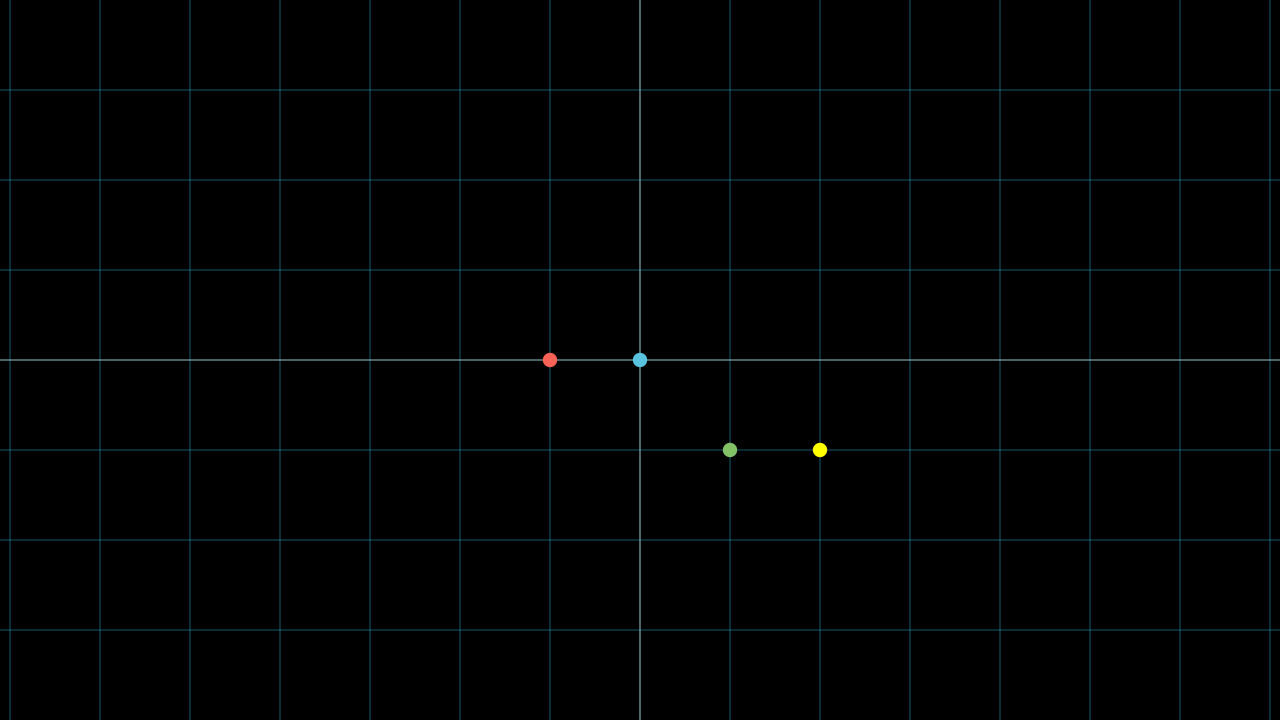
[2]:
class Example(Scene):
  def construct(self):
    self.add(NumberPlane().fade(0.7))

    geos = Geos(self)
    init_geos = {
      "pA": LEFT,
      "pB": geos.shift("pA", RIGHT),  # LEFT + RIGHT = ORIGIN
      "pC": geos.shift(RIGHT, DOWN),  # RIGHT + DOWN
      "pD": geos.shift(RIGHT, "pC"),  # RIGHT + (RIGHT + DOWN)
    }
    geos.create_geos(init_geos)

    dA = Dot(geos.pA, color=RED)
    dB = Dot(geos.pB, color=BLUE)
    dC = Dot(geos.pC, color=GREEN)
    dD = Dot(geos.pD, color=YELLOW)

    self.add(dA, dB, dC, dD)

%manim $_RV Example
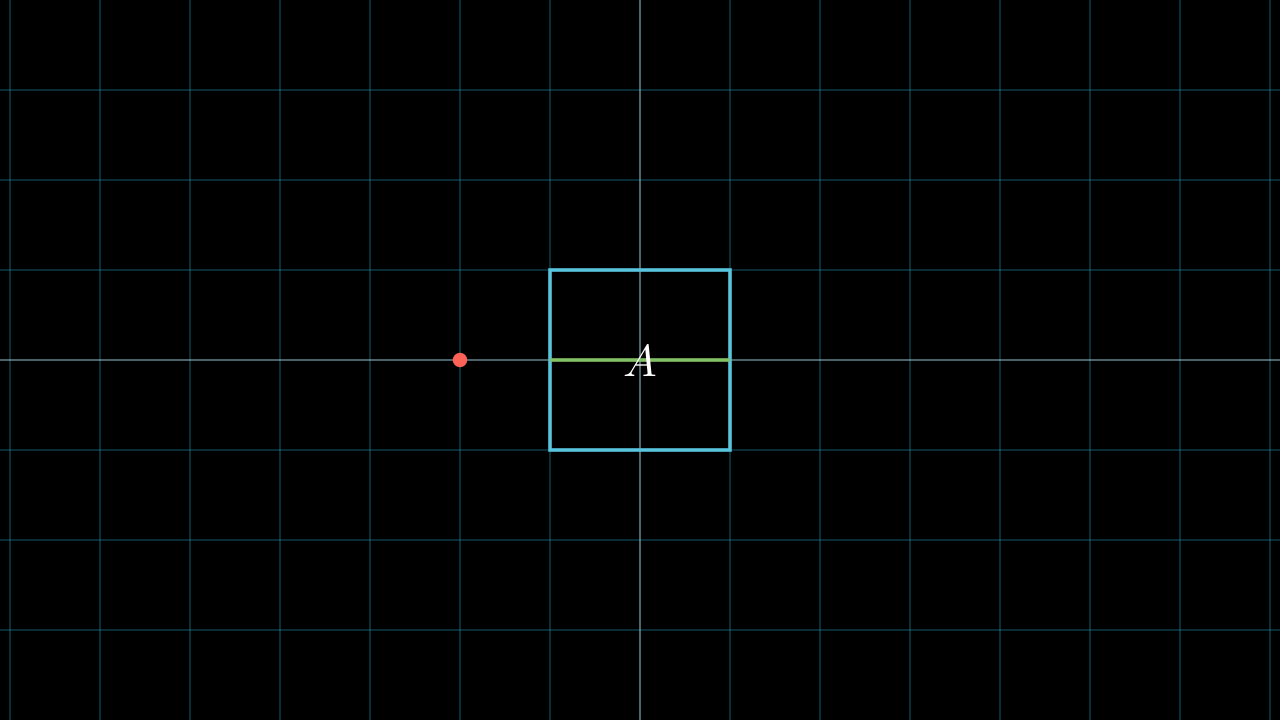
Mobjects
[3]:
class Example(Scene):
  def construct(self):
    self.add(NumberPlane().fade(0.7))

    geos = Geos(self)
    init_geos = {
      "dA": Dot(LEFT*2, color=RED),
      "mA": Square(color=BLUE),
      "lA": Line(LEFT, RIGHT, color=GREEN),
      "_A": MathTex("A"),
    }
    geos.create_geos(init_geos)

    self.add(geos.get_all_mobs_as_grp())


%manim $_RV Example
Dots
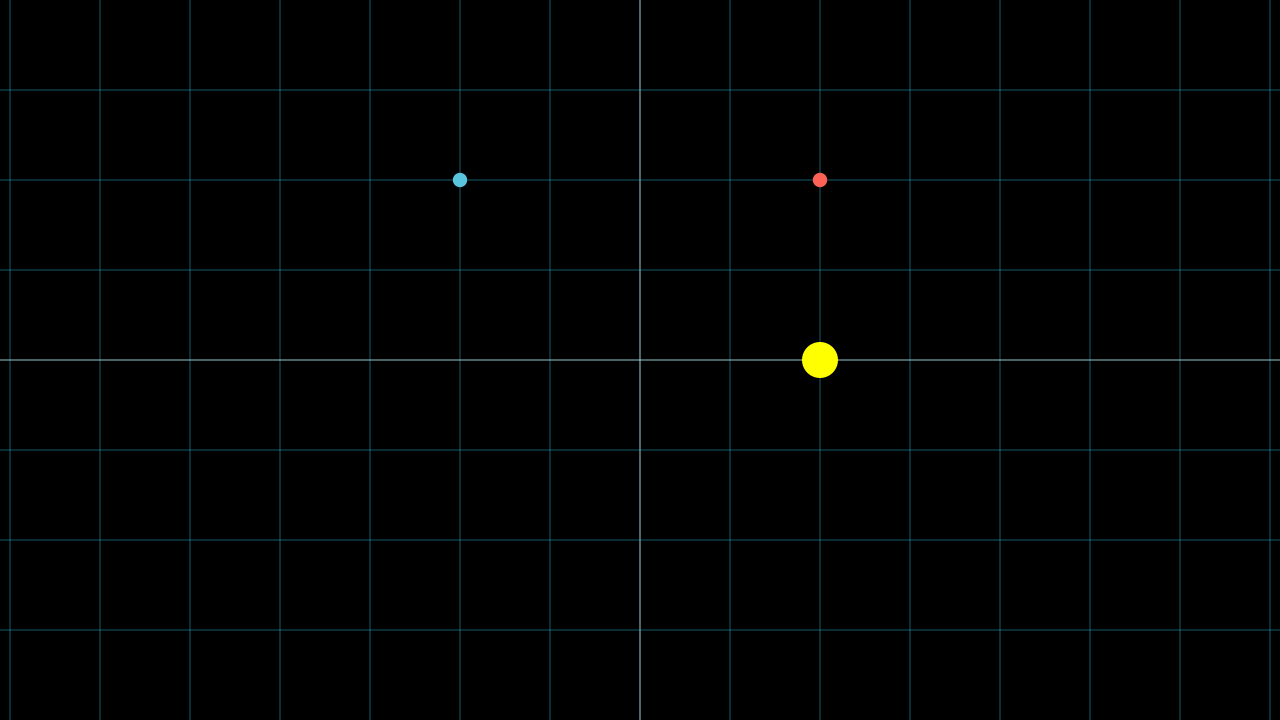
Points are intended to be used as coordinates, and vectors are used to obtain other coordinates, using the “shift” method.
[4]:
class Example(Scene):
  def construct(self):
    self.add(NumberPlane().fade(0.7))

    geos = Geos(self)
    init_geos = {
      "pA": UR*2,
      "v1": DOWN*2, # Vectors
      "pC": geos.shift("pA", "v1"),
      "dA": geos.dot("pA", color=RED),
      "dB": geos.dot(UL*2, color=BLUE),
      # You can use all Dot kwargs
      "dC": geos.dot("pC", color=YELLOW, radius=0.2),
    }
    geos.create_geos(init_geos)

    self.add(geos.get_all_mobs_as_grp())


%manim $_RV Example
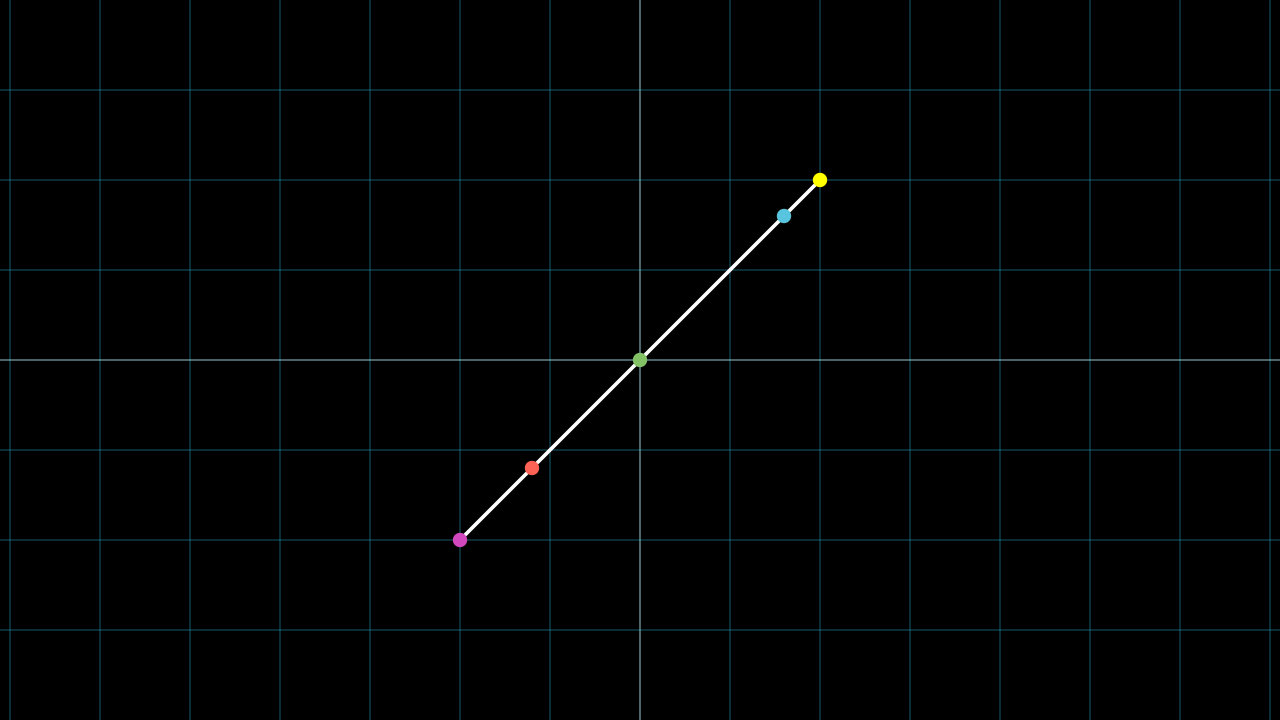
[5]:
class Example(Scene):
  def construct(self):
    self.add(NumberPlane().fade(0.7))

    geos = Geos(self)
    init_geos = {
      "m1": Line(DL*2, UR*2),
      "dStart": geos.point_from_proportion("m1", 0, color=PINK), # as Line.get_start()
      "dA": geos.point_from_proportion("m1", 0.2, color=RED),
      # .pfp == .point_from_proportion
      "dB": geos.pfp("m1", 0.5, color=GREEN),
      "dC": geos.pfp("m1", 0.9, color=BLUE),
      "dEnd": geos.pfp("m1", 1, color=YELLOW), # as Line.get_end()
    }
    geos.create_geos(init_geos)

    self.add(geos.get_all_mobs_as_grp())


%manim $_RV Example
Note
Most methods have a shorthand so you don’t have to write so many parameters, instead of using something like geos.some_method("A", "B") you can use geos.some_method("A,B").
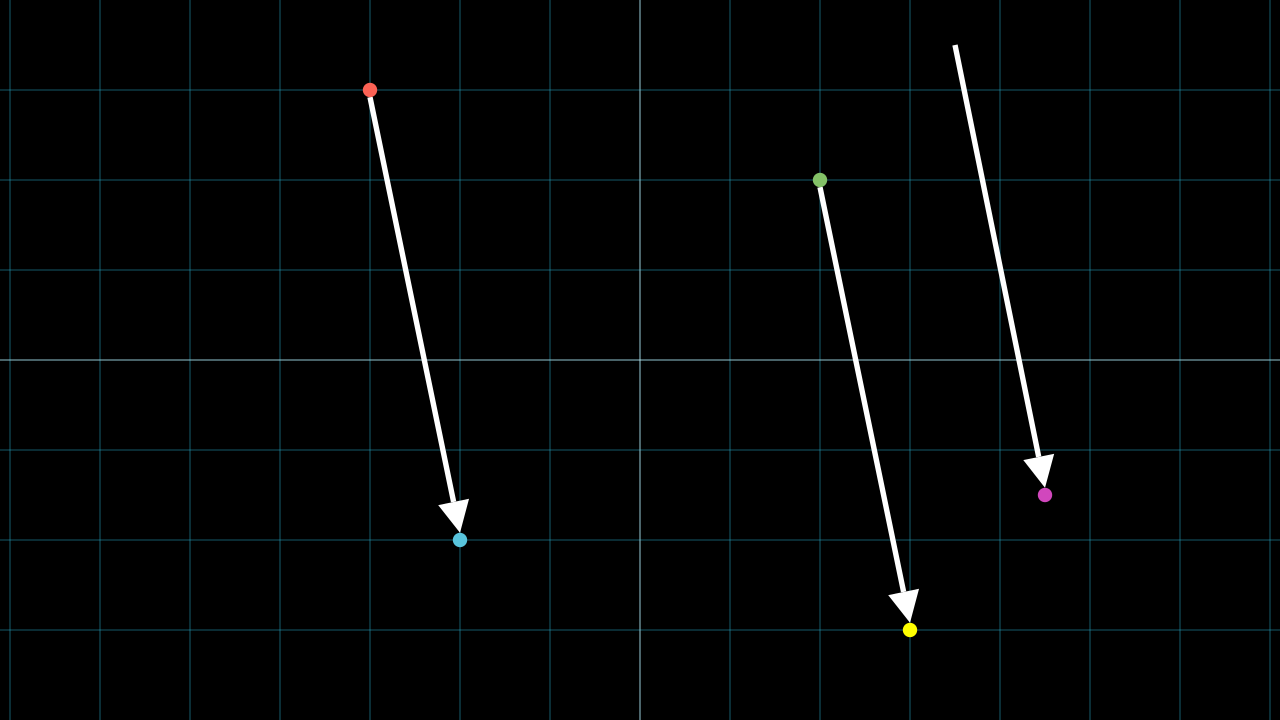
[6]:
class Example(Scene):
  def construct(self):
    self.add(NumberPlane().fade(0.7))

    geos = Geos(self)
    init_geos = {
      "dA": geos.dot(UP*3+LEFT*3, color=RED),
      "dB": geos.dot(DOWN*2+LEFT*2, color=BLUE),
      "dC": geos.dot(UR*2, color=GREEN),
      "dD": geos.parallel_dot("dC", "dA,dB", color=YELLOW),
      "pE": UR*3.5,
      "dF": geos.parallel_dot("pE", "dA,dB", color=PINK),
    }
    geos.create_geos(init_geos)

    self.add(geos.get_all_mobs_as_grp())
    self.add(
      Arrow(geos.dA, geos.dB, buff=0),
      Arrow(geos.dC, geos.dD, buff=0),
      Arrow(geos.pE, geos.dF, buff=0),
    )

%manim $_RV Example
Dot from method
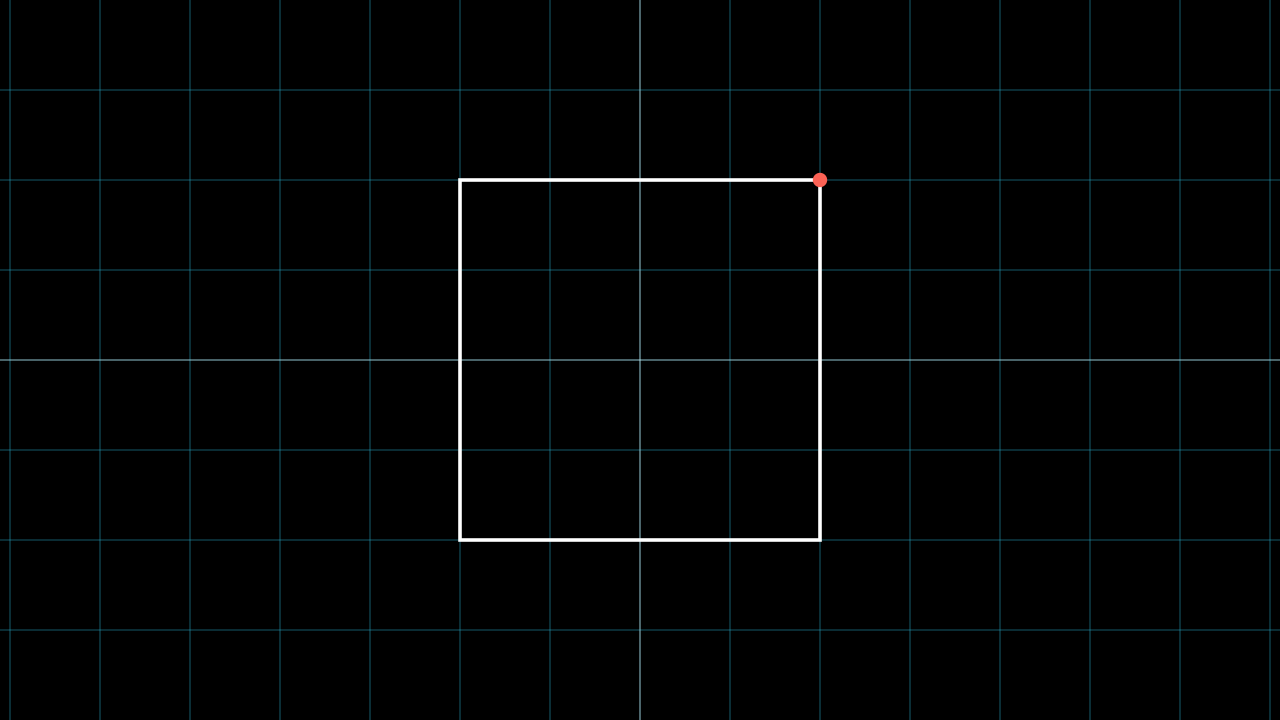
[7]:
class Example(Scene):
  def construct(self):
    self.add(NumberPlane().fade(0.7))

    geos = Geos(self)
    init_geos = {
      "m1": Square().scale(2),
      "d1": geos.dot_from_method(lambda n: n("m1").get_corner(UR), color=RED)
    }
    geos.create_geos(init_geos)

    self.add(geos.get_all_mobs_as_grp())


%manim $_RV Example
Labels
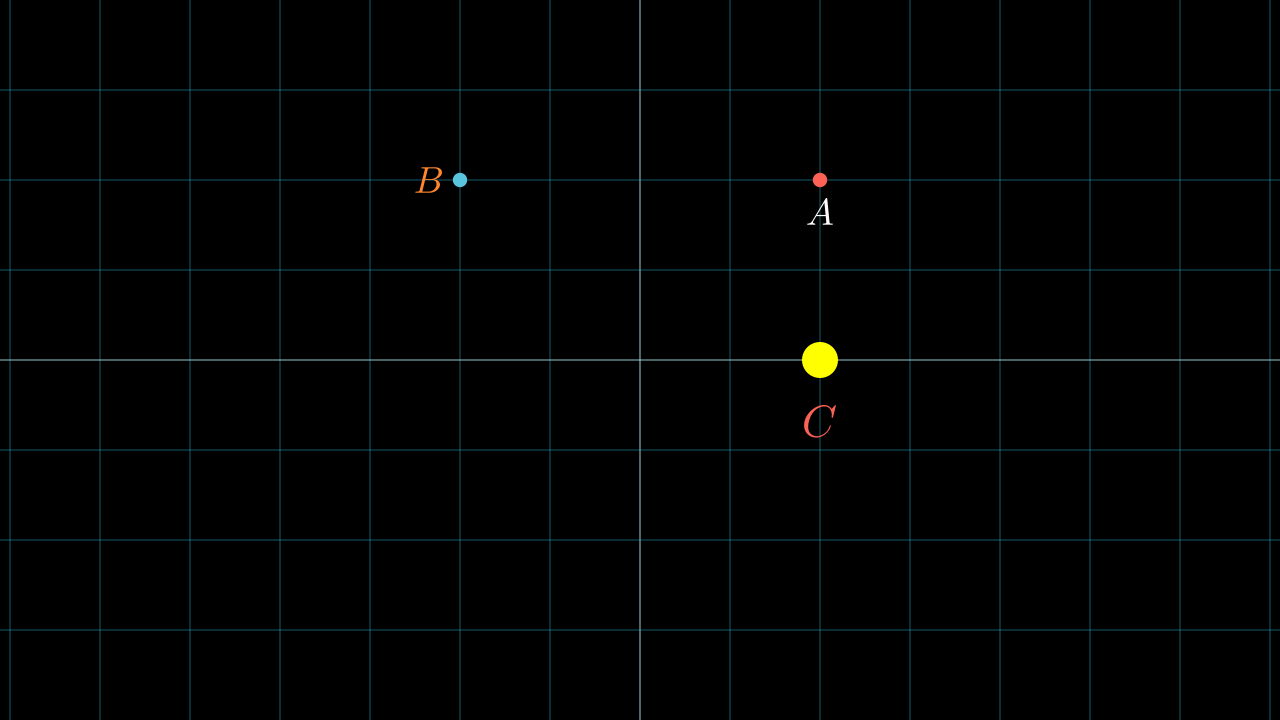
[8]:
class Example(Scene):
  def construct(self):
    self.add(NumberPlane().fade(0.7))

    geos = Geos(self)
    init_geos = {
      "pA": UR*2,
      "v1": DOWN*2,
      "pC": geos.shift("pA", "v1"),
      "dA": geos.dot("pA", color=RED),
      "dB": geos.dot(UL*2, color=BLUE),
      "dC": geos.dot("pC", color=YELLOW, radius=0.2),
      "_A": geos.label("pA", "A"), # Can receive coords
      "_B": geos.label("dB", "B", direction=LEFT, color=ORANGE), # Can receive dots
      "_C": geos.label("dC", MathTex("C", color=RED), buff=0.5),
    }
    geos.create_geos(init_geos)

    self.add(geos.get_all_mobs_as_grp())


%manim $_RV Example
[9]:
class Example(Scene):
  def construct(self):
    self.add(NumberPlane().fade(0.7))

    geos = Geos(self)
    init_geos = {
      "pA": UR*2,
      "v1": DOWN*2, # <-- Ignored
      "pX": DOWN*5, # <-- Ignored
      "pC": geos.shift("pA", "v1"),
      "dA": geos.dot("pA", color=RED),
      "dB": geos.dot(UL*2, color=BLUE),
      "dC": geos.dot("pC", color=YELLOW, radius=0.2),
    }
    # Labels will only be applied to Dots (Mobjects),
    # not to points or vectors (np.ndarrays).
    geos.create_geos(
      init_geos,
      set_all_labels=True, # <-- Create all labels automatically
      label_direction=LEFT,
      label_buff=0.1,
      label_kwargs={"font_size":100, "color": ORANGE}
    )

    self.add(geos.get_all_mobs_as_grp())


%manim $_RV Example
[10]:
class Example(Scene):
  def construct(self):
    self.add(NumberPlane().fade(0.7))

    geos = Geos(self)
    init_geos = {
      "pA": UR*2,
      "v1": DOWN*2,
      "pX": DOWN*5,
      "pC": geos.shift("pA", "v1"),
      "dA": geos.dot("pA", color=RED),
      "dB": geos.dot(UL*2, color=BLUE),
      "dC": geos.dot("pC", color=YELLOW, radius=0.2),
      "dD": geos.dot(DOWN*2, color=ORANGE, radius=0.2),
    }
    geos.create_geos(init_geos)
    geos.set_labels([
      ("dA", "X"),
      ("dB", "Y"),
      ("dC", "P_1"),
    ])

    geos._A.set_color(RED)
    self.add(geos.get_all_mobs_as_grp())


%manim $_RV Example
[11]:
class Example(Scene):
  def construct(self):
    self.add(NumberPlane().fade(0.7))

    geos = Geos(self)
    init_geos = {
      "pA": UR*2,
      "v1": DOWN*2,
      "pX": DOWN*5,
      "pC": geos.shift("pA", "v1"),
      "dA": geos.dot("pA", color=RED),
      "dB": geos.dot(UL*2, color=BLUE),
      "dC": geos.dot("pC", color=YELLOW, radius=0.2),
      "dD": geos.dot(DOWN*2, color=ORANGE, radius=0.2),
    }
    geos.create_geos(init_geos)
    geos.set_labels(["dA,X", "dB,Y", "dD,P_2"])

    geos._A.set_color(RED)
    self.add(geos.get_all_mobs_as_grp())


%manim $_RV Example
[12]:
class Example(Scene):
  def construct(self):
    self.add(NumberPlane().fade(0.7))

    geos = Geos(self)
    init_geos = {
      "pA": UR*2,
      "v1": DOWN*2,
      "pX": DOWN*5,
      "pC": geos.shift("pA", "v1"),
      "dA": geos.dot("pA", color=RED),
      "dB": geos.dot(UL*2, color=BLUE),
      "dC": geos.dot("pC", color=YELLOW, radius=0.2),
      "dD": geos.dot(DOWN*2, color=ORANGE, radius=0.2),
    }
    geos.create_geos(init_geos)
    geos.set_auto_labels_dots("dA,dB,dC", direction=LEFT, buff=0)

    geos._A.set_color(RED)
    geos._B.set_color(PINK)
    self.add(geos.get_all_mobs_as_grp())


%manim $_RV Example
Lines
[13]:
class Example(Scene):
  def construct(self):
    self.add(NumberPlane().fade(0.7))

    geos = Geos(self)
    init_geos = {
      "pA": UR*3,
      "dB": geos.dot(DOWN*3, color=RED),
      "dC": geos.dot(LEFT*3+UP*2, color=BLUE),
      "lAB": geos.line("pA", "dB", color=GREEN),
      "lAC": geos.segment("pA,dC", color=PURPLE),
      "lBC": geos.segment("dB,dC", color=YELLOW),
    }
    geos.create_geos(init_geos)

    self.add(geos.get_all_mobs_as_grp())

%manim $_RV Example
[14]:
class Example(Scene):
  def construct(self):
    self.add(NumberPlane().fade(0.7))

    geos = Geos(self)
    init_geos = {
      "l1": Line(LEFT*2, RIGHT*2, color=RED).shift(UP*2),
      "l2": Line(LEFT*3, RIGHT*3, color=BLUE).shift(DOWN*2),
      "d1s": geos.dot_at_start_line("l1"),
      "d1e": geos.dot_at_end_line("l1"),
      "d2s,d2e": geos.dots_at_start_end_line("l2"),
    }
    geos.create_geos(init_geos, set_all_labels=True)

    self.add(geos.get_all_mobs_as_grp())

%manim $_RV Example
Circles
[15]:
class Example(Scene):
  def construct(self):
    self.add(NumberPlane().fade(0.7))

    geos = Geos(self)
    init_geos = {
      "pA": UR*3,
      "n1": 3,
      "dB": geos.dot(DOWN*3, color=RED),
      "cA": geos.circle("pA", "n1"),
      "cB": geos.circle("dB", 2),
    }
    geos.create_geos(init_geos)

    self.add(geos.get_all_mobs_as_grp())

%manim $_RV Example
[16]:
class Example(Scene):
  def construct(self):
    self.add(NumberPlane().fade(0.7))

    geos = Geos(self)
    init_geos = {
      "dA": geos.dot(LEFT*3),
      "dB": geos.dot(LEFT*2+UP*2, color=RED),
      "dC": geos.dot(DOWN*1.5, color=BLUE),
      "AB": geos.distance("dA", "dB"),
      "AC": geos.distance("dA,dC"),
      "cA1": geos.circle("dA", "AB", color=RED),
      "cA2": geos.circle("dA", "AC", color=BLUE),
    }
    geos.create_geos(init_geos)

    print(f"{geos.AB=}")
    print(f"{geos.AC=}")

    self.add(geos.get_all_mobs_as_grp())

%manim $_RV Example
geos.AB=2.23606797749979
geos.AC=3.3541019662496847
Arcs
[17]:
class Example(Scene):
  def construct(self):
    self.add(NumberPlane().fade(0.7))

    geos = Geos(self)
    init_geos = {
      #     geos.arc(center, radius, start_angle, angle, **kwargs)
      "a1": geos.arc(ORIGIN, 1, 0, PI/2, color=RED),
      "a2": geos.arc(ORIGIN, 2, PI/2, PI, color=BLUE),
    }
    geos.create_geos(init_geos)

    self.add(geos.get_all_mobs_as_grp())

%manim $_RV Example
[18]:
class Example(Scene):
  def construct(self):
    self.add(NumberPlane().fade(0.7))

    geos = Geos(self)
    init_geos = {
      "dA": geos.dot(ORIGIN),
      "dB": geos.dot(RIGHT+UP*2),
      "dC": geos.dot(DOWN*1.5+RIGHT*3),
      "lAB": geos.segment("dA,dB"),
      "lAC": geos.segment("dA,dC"),
      "aA1": geos.arc_three_points("dC,dA,dB", 1, color=RED),
      "aA2": geos.arc3p("dB,dA,dC", 1.2, color=BLUE),
      "aA3": geos.arc3p("dB,dA,dC", 1.4, color=GREEN, other_angle=True),
    }
    geos.create_geos(init_geos, set_all_labels=True)

    self.add(geos.get_all_mobs_as_grp())

%manim $_RV Example
[19]:
class Example(Scene):
  def construct(self):
    self.add(NumberPlane().fade(0.7))

    geos = Geos(self)
    init_geos = {
      "dA": geos.dot(LEFT*3),
      "dB": geos.dot(LEFT*2+UP*2),
      "dC": geos.dot(DOWN*1.5),
      "dX": geos.dot(RIGHT*3),
      "dY": geos.dot(RIGHT*2+UP*2),
      "lAB": geos.segment("dA,dB"),
      "lAC": geos.segment("dA,dC"),
      "lXC": geos.segment("dX,dC"),
      "lXY": geos.segment("dX,dY"),
      # Arcs
      "aA1": geos.arc_three_points("dC,dA,dB", 1, overshot_ang=0, color=BLUE),
      "aA2": geos.arc3p("dC,dA,dB", 1, overshot_ang=0, other_angle=True, color=RED),
      "aX1": geos.arc3p("dY,dX,dC", 1, overshot_ang=0, color=TEAL),
      "aX2": geos.arc3p("dY,dX,dC", 1.2, overshot_ang=10*DEGREES, color=RED),
      "aX3": geos.arc3p("dY,dX,dC", 1.5, overshot_ang=20*DEGREES, color=GREEN),
      "aX4": geos.arc3p("dC,dX,dY", 0.5, overshot_ang=20*DEGREES, color=ORANGE)
    }
    geos.create_geos(init_geos, set_all_labels=True)

    self.add(geos.get_all_mobs_as_grp())

%manim $_RV Example
Multiple inputs
For objects to be automatically assigned, the GeosVGroup object must be used. If you want to create a group without assigning multiple objects, use the normal VGroup.
[29]:
class Example(Scene):
  def construct(self):
    self.add(NumberPlane().fade(0.7))

    geos = Geos(self)
    init_geos = {
      "d1,d2,l1,c1,m1": GeosVGroup(
        Dot(LEFT*2), Dot(RIGHT*2), Line(UP, DOWN), Circle(), Square()
      ).rotate(30*DEGREES).scale(2),
      "g1": VGroup(Triangle(), MathTex("X").scale(2)).rotate(-PI/2)
    }
    geos.create_geos(init_geos, set_all_labels=True)

    geos.d2.set_color(PINK)
    geos.l1.set_color(TEAL)
    geos.c1.set_color(ORANGE)
    geos.m1.set_color(GREEN)
    geos.g1.set_color(YELLOW)
    self.add(geos.get_all_mobs_as_grp())

%manim $_RV Example
Copies
[21]:
class Example(Scene):
  def construct(self):
    geos = Geos(self)
    geos.create_geos({
        "dA": Dot(LEFT+UP*2),
        "dB": Dot(-LEFT-UP*2),
        "dC": Dot(DOWN*2),
        "dD": geos.geos_copy("dC", lambda m,n: m.next_to(n("dA"), DOWN, buff=1)),
        "dE": geos.geos_copy("dD", lambda m: m.shift(LEFT)),
      },
      set_all_labels=True
    )
    self.add(NumberPlane().fade(0.7))
    self.add(geos.get_all_mobs_as_grp())

%manim $_RV Example
Getters
[22]:
class Example(Scene):
  def construct(self):
    self.add(NumberPlane().fade(0.7))

    geos = Geos(self)
    geos.create_geos({
        "l1": Line(LEFT*3, RIGHT*3),
        "l2": Line(LEFT*3, RIGHT*3).rotate(30*DEGREES),
        "dA": Dot(LEFT*2),
        "dB": Dot(RIGHT*2),
        "dC": Dot(DOWN*2),
        "cA": geos.circle("dA", 1),
        "cB": geos.circle("dB", 2),
        "aAB1": geos.arc(ORIGIN, 1, 0, 30*DEGREES, color=RED),
        "aAB2": geos.arc(ORIGIN, 0.5, -PI, 30*DEGREES, color=GREEN),
      },
      set_all_labels=True
    )

    self.add(geos.get_all_mobs_as_grp())
    geos.get_as_grp("dA", "dB").set_color(ORANGE)
    geos.get_all_lines().set_color(BLUE)
    geos.get_all_circles().set_color(YELLOW)
    geos.get_all_dots().shift(DOWN)
    geos.get_all_arcs().set_color(PINK)
    geos.get_all_arcs().set_color(PINK)
    geos.get_all_labels().set_color(RED)

%manim $_RV Example
[23]:
class Example(Scene):
  def construct(self):
    self.add(NumberPlane().fade(0.7))

    geos = Geos(self)
    geos.create_geos({
        "d1,d2,d3,d4,d5": GeosVGroup(*[
          Dot() for _ in range(5)]
        ).arrange(RIGHT, buff=1).shift(UP*2),
        "l1,l2,l3,l4,l5": GeosVGroup(*[
          Line() for _ in range(5)]
        ).arrange(DOWN, buff=0.5).to_edge(DOWN),
        "c1,c2,c3,c4,c5": GeosVGroup(*[
          Circle(0.5) for _ in range(5)]
        ).arrange(DOWN, buff=0.5).to_edge(LEFT),
      },
      set_all_labels=True
    )

    self.add(geos.get_all_dots(exclude="3,5"))
    self.add(geos.get_all_labels(exclude="1,4"))
    self.add(geos.get_all_lines(exclude="2,3"))
    self.add(geos.get_all_circles(exclude="3,4"))

%manim $_RV Example
[ ]: